Pack an Order FAQ
This FAQ collects the player questions answered by the official Pack an Order listing: what the warehouse job is, how to control it on PC, whether friends can play together, and which progression categories are named. When a detail is not published by the experience, the answer stays practical instead of inventing numbers, item lists, or ability tiers. Use the linked guides when one answer points to a full route or control routine.
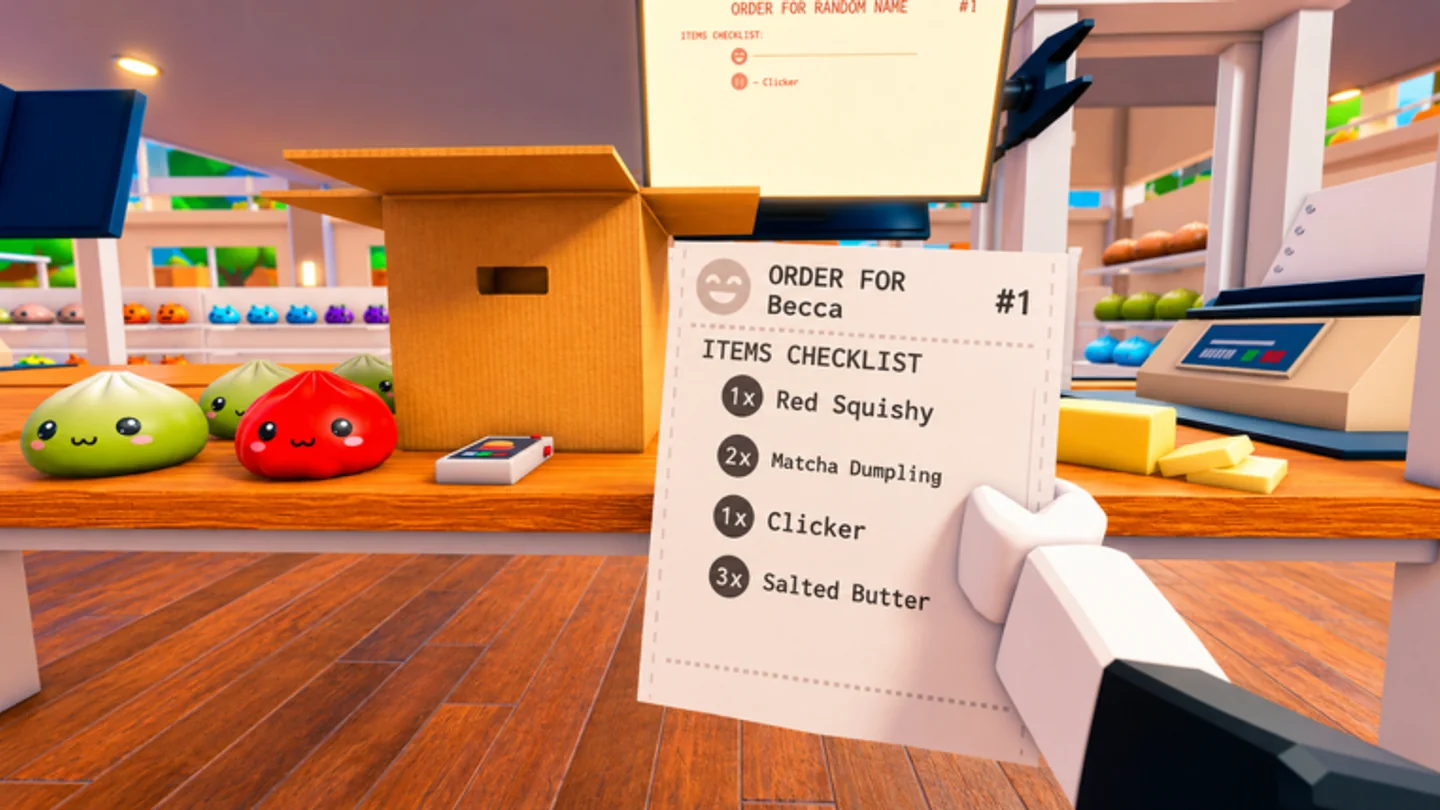
Common warehouse questions
The core objective is to find toys on shelves, pack every box correctly, and load the delivery trucks. The listing describes a race against the clock, coins earned from completed orders, upgrades, abilities, and leaderboard competition for fast completion times. The most useful first habit is to keep the active order in view before you start a shelf route.
PC players use E or Left Click to pick up or pack, Q to drop, R to cycle orders, Scroll Wheel to cycle carried items, and Right Click or Y to inspect. The same controls support solo and group play. In a group, use the customer order as a shared reference so that shelf work, packing, and truck loading remain one delivery instead of several disconnected jobs.
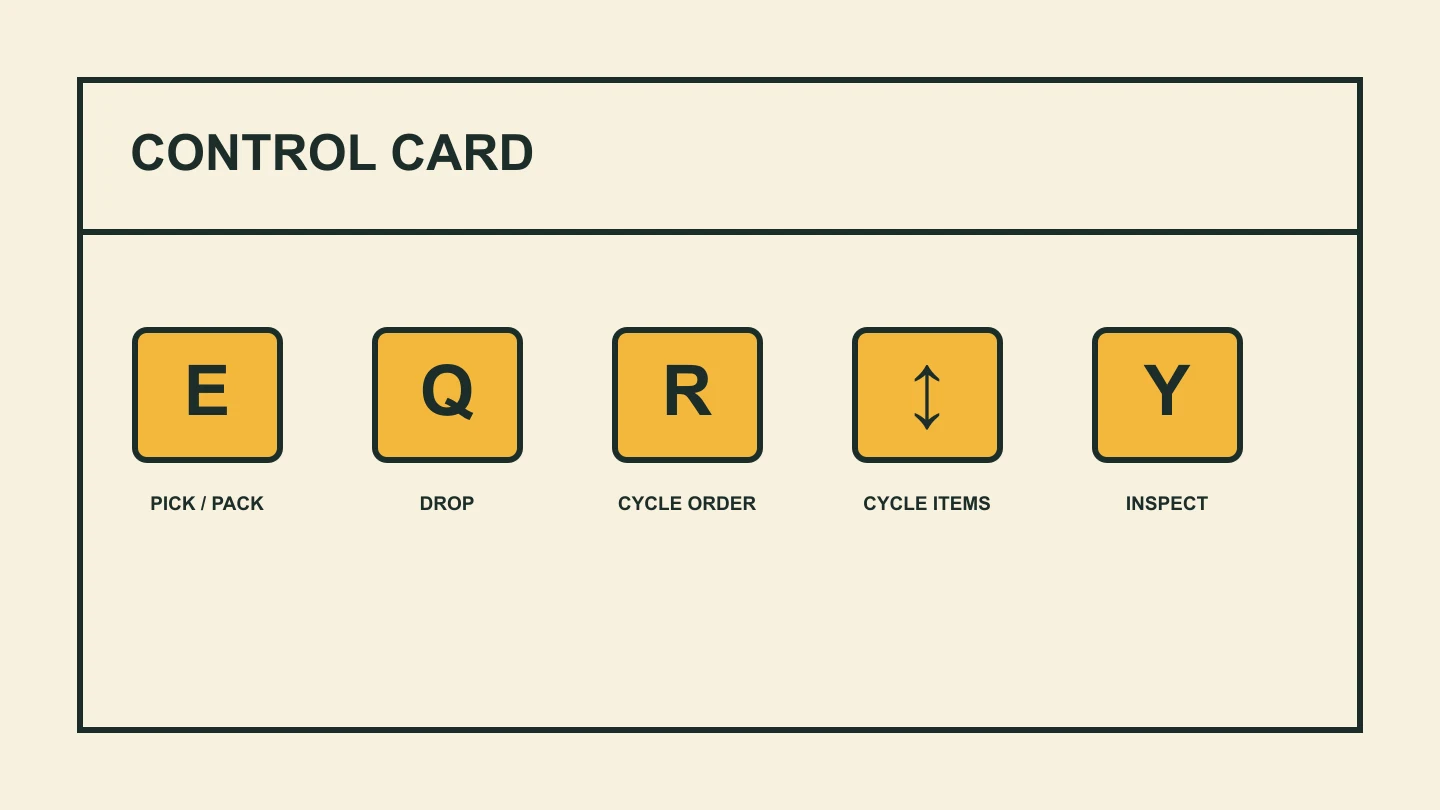
Quick help during a live run
If you do not know what to do next, return to the active customer order. The documented loop always gives you a next handoff: find the required toy on shelves, bring it to the correct box, and move the completed delivery to the truck. This is more reliable than collecting random items and trying to sort them out once the timer is already running.
If you are carrying the wrong item, use Q to drop it and rebuild around the ticket. If you are carrying several possible items, use Scroll Wheel to select the one you mean to pack, then inspect it with Right Click or Y when you need another check. These controls are practical recovery tools, not only optional extras for advanced players.
If a route feels slow, identify whether the delay is movement, shelf interaction, or repeated return trips. The official listing names Speed, Reach, and Carry Capacity as the available upgrade categories. Compare them against the real delay you observe; the public description does not give a universal cost table or fixed best-buy order.
FAQ
What do you do in Pack an Order?
Pack an Order is a Roblox warehouse challenge. The official description says players find toys on shelves, pack every box correctly, and load delivery trucks. The run is timed, and completed customer orders earn coins that support progression through the game’s named upgrade categories.
Can Pack an Order be played with friends?
Yes. The official Roblox description says you can play solo or with friends, and the game API lists a maximum of twelve players. A useful co-op habit is to state which customer order you are handling so shelf pickups, packing, and truck loading stay connected.
What are the official PC controls?
E or Left Click picks up or packs an item; Q drops it; R cycles customer orders; Scroll Wheel cycles carried items; and Right Click or Y inspects an item. These controls are published in the official Pack an Order Roblox description.
What upgrades are named by Pack an Order?
The official description names Speed, Reach, and Carry Capacity as upgrades. It also says players can unlock abilities. The public listing does not publish complete prices, level caps, or ability names, so compare upgrades against the specific delay you repeatedly see in your current warehouse runs.
How do I cycle customer orders?
Press R to cycle customer orders. Use it before leaving the packing area to confirm the ticket you want to advance, and use it again if you lose track during a shelf run. In co-op, saying that ticket aloud gives everyone a shared reference for pickup, packing, and truck-loading handoffs.
How do I choose an item I am carrying?
Use the Scroll Wheel to cycle carried items. Treat this as a deliberate pre-pack step: select the object you intend to use, inspect with Right Click or Y if its identity is uncertain, and then pack it with E or Left Click only after it matches the active customer order.
What should I do with a wrong item?
Press Q to drop the item. Correcting a doubtful pickup near the shelf is usually cleaner than carrying it to the packing area, where it can make the final selection harder to understand. After dropping it, cycle back to the active customer order and collect only what the ticket requires.
Are abilities explained in the public listing?
The official description says players can unlock abilities to make packing faster, but it does not list their names, effects, costs, or unlock conditions. Test an ability in the live game against a specific part of your route, while keeping the ticket, carried-item selection, packing, and truck handoff clear.
What is the leaderboard goal?
Pack an Order’s public Roblox description says players can compete for the fastest completion times on leaderboards. It does not publish current records, reset timing, or scoring rules. The dependable preparation is a correct ticket, accurate packing, a completed truck load, and upgrades chosen for a delay you can actually see.